
2026-08-17
Common Moodle Problems and How Institutions Work Around Them
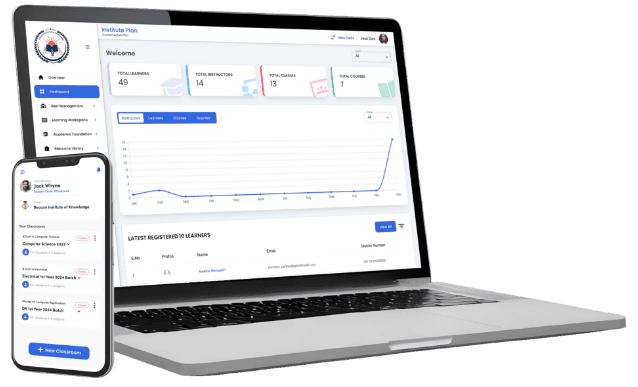
Every LMS has operational friction once real students, real courses, and real deadlines are running through it. These are the moodle problems administrators run into most often in practice, along with the workarounds institutions actually use. Not a list of complaints, just the friction points worth planning for before they cause a surprise during a live term.
Plugin Conflicts After Version Updates
The problem: Moodle plugins are built independently, by different maintainers, against a specific range of Moodle core versions. When you upgrade core, a plugin that worked fine the day before can throw errors or silently stop functioning correctly, especially with less actively maintained plugins.
The workaround: institutions that avoid this pain test upgrades in a staging environment that mirrors production before touching the live site, checking each installed plugin against the new version's compatibility notes first. It's an extra step, but it turns a surprise outage into a planned maintenance window instead.
Performance Degradation at Scale
The problem: Moodle installations that run smoothly for a few hundred concurrent users can slow down considerably during high-traffic moments, like an entire cohort logging in at once for a mock test, if the underlying server isn't tuned for that load.
The workaround: this is usually a server configuration issue rather than a Moodle software issue: proper caching, a database tuned for concurrent reads, and infrastructure sized for peak rather than average load. Institutions running larger deployments generally bring in someone with real server-tuning experience before a high-stakes event, not after a slowdown during one.
Admin Interface Complexity
The problem: Moodle's settings are organized for administrators who already understand its underlying structure. New admins without that background often struggle to find the right setting among the many menus, or misconfigure something because a setting's effect isn't obvious from its label.
The workaround: institutions that handle this well build their own internal documentation of exactly which settings they've configured and why, rather than relying on Moodle's general documentation alone, and restrict full admin access to a small number of trained staff rather than distributing it broadly.
Version Upgrade Anxiety
The problem: because plugin and configuration issues tend to surface at upgrade time, some institutions delay updates to avoid the risk, which eventually leaves them on a version close to the end of its security support window, facing a bigger, riskier jump than if they'd kept current.
The workaround: regular, smaller upgrades tested in staging are less disruptive than deferring until a large, overdue jump becomes unavoidable. Institutions that stay closer to current versions report smaller, more predictable upgrade windows each time.
Course and Content Migration Friction
The problem: moving courses between Moodle instances, or restoring a course backup into a different version, doesn't always preserve every element cleanly, particularly custom activity types tied to specific plugins.
The workaround: testing a restore in a non-production environment before relying on it for real courses, and keeping plugin-dependent course content to a minimum where a simpler built-in activity would achieve the same result.
Notification and Email Deliverability Issues
The problem: Moodle's default email sending, especially on shared or budget hosting, can end up flagged as spam or throttled by the receiving mail provider, so students and staff sometimes miss assignment reminders, grade notifications, or password reset emails entirely.
The workaround: configuring a dedicated transactional email service (SMTP through a provider built for deliverability, rather than the server's default mail function) resolves most of this. It's a configuration step that's easy to skip during initial setup and only becomes visible once real notification volume starts flowing.
Third-Party Integration Gaps
The problem: connecting Moodle to tools an institution already uses, a payment gateway, a video conferencing platform, or an accounting system, sometimes means relying on a plugin built by a third party rather than an official integration, with support quality that varies by maintainer.
The workaround: institutions that plan integrations carefully check a plugin's update history and support responsiveness before depending on it for something business-critical like fee collection, and keep a documented fallback process in case the integration goes down temporarily.
Inconsistent Behavior Across Themes
The problem: Moodle's theming system allows deep visual customization, but a theme built for an older core version can render activities incorrectly, hide buttons behind unexpected layouts, or break on mobile screens after a core update changes underlying markup the theme wasn't built to expect.
The workaround: choosing an actively maintained theme with a clear update history, testing it against the same staging environment used for plugin testing, and avoiding heavy custom CSS overrides that make future core updates harder to verify.
The Common Thread
Most of these problems share a root cause: Moodle's flexibility means very little is locked down or automated on your behalf, which is exactly what makes it powerful for institutions with the staff to manage that flexibility, and exactly what creates friction for those without it.
None of these problems are unusual or a sign of a poorly run Moodle deployment. They're the ordinary cost of running a highly configurable, plugin-based platform. Institutions that plan for them upfront, with staging environments, internal documentation, and server tuning ahead of peak load, run into them far less often than those that don't.
What separates institutions that handle these problems smoothly from those that get blindsided by them usually isn't luck. It's whether someone owns the platform closely enough to see a small issue coming, a plugin that hasn't been updated in a while, a theme that's starting to lag behind core, before it becomes an outage during a live exam window.