
2026-08-17
Moodle vs Canvas: Which LMS Should You Choose?
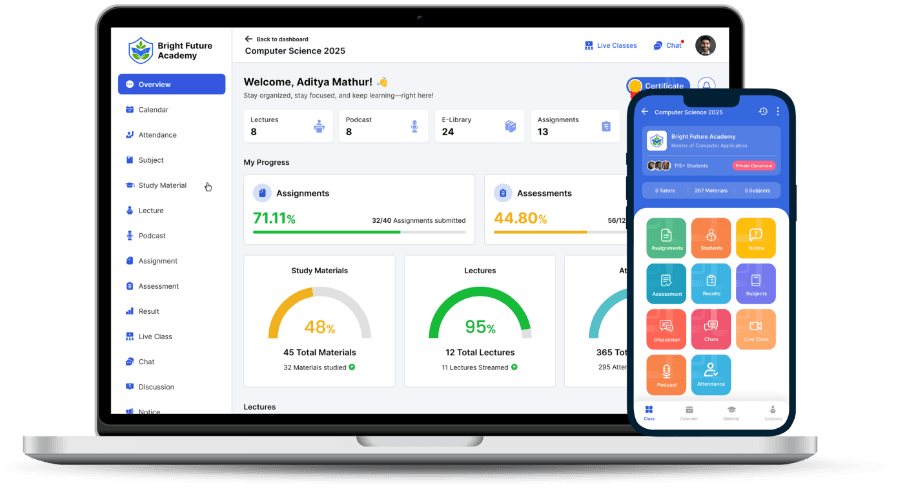
Moodle and Canvas both show up on nearly every shortlist an institution builds when evaluating a learning management system. They solve the same broad problem — course delivery, assignments, grading, discussion — but they get there through different philosophies. One is open-source software you host and configure yourself. The other is a commercial platform built by Instructure and sold as a managed product. That single difference shapes almost everything else about the comparison.
What Moodle Is
Moodle launched in 2002 and has grown into one of the most widely deployed LMS platforms in the world, used across schools, universities, and corporate training programs in more than 100 languages. The core software is free to download and modify. That's the whole pitch, really. Its plugin directory has thousands of entries covering everything from attendance tracking to plagiarism checks.
That flexibility comes with a cost most people underestimate at first: someone has to run it. Self-hosted Moodle needs a server, a database, regular security patches, and a person who understands both to keep it stable. MoodleCloud, Moodle's own managed hosting tier, removes the server management but caps storage and user counts on its lower plans.
What Canvas Is
Canvas is a commercial LMS from Instructure, sold primarily as a cloud-hosted subscription to K-12 schools and universities. It ships with a modern, uncluttered interface out of the box — gradebook, calendar, SpeedGrader for annotating submissions, and built-in analytics — without requiring plugins to get there. Instructure hosts the infrastructure, handles uptime, and pushes updates centrally.
The trade-off is pricing transparency and depth of customization. Canvas doesn't publish a public price list; institutions negotiate contracts directly with Instructure, and costs scale with enrollment and the modules selected (Canvas Studio for video, Canvas Catalog for open enrollment, and so on). Deep customization is possible through its API and LTI integrations, but it's a narrower path than Moodle's open source code.
Side-by-Side: Where They Actually Differ
- Cost model: Moodle's core is free but total cost depends on hosting and staffing; Canvas is a paid contract with pricing set case by case.
- Setup time: Self-hosted Moodle can take weeks to configure properly; Canvas is provisioned by Instructure and ready faster.
- Interface: Canvas is generally rated more intuitive for new instructors and students; Moodle's interface varies by theme and configuration.
- Customization depth: Moodle allows full source-code access and plugin development; Canvas customization runs through its API and LTI tools, not the core codebase.
- Mobile experience: Both offer native apps, with Canvas's mobile grading tools (SpeedGrader) frequently cited as a standout feature.
- Community and support: Moodle relies on a large open-source community and paid partners; Canvas includes vendor support as part of the contract.
Where Moodle Tends to Win
Institutions with an in-house IT team, a need for unusual custom workflows, or a strict preference for open-source software tend to prefer Moodle. Because the code is open, a developer can build almost any feature the plugin ecosystem doesn't already cover. For universities running large, highly specific programs — professional certifications with unusual grading rules, for instance — that flexibility can matter more than polish.
Where Canvas Tends to Win
Canvas tends to win on day-one usability. New instructors pick it up fast. Faculty who've never used an LMS generally find its layout easier to learn, and Instructure's managed hosting removes the server-maintenance burden entirely. For K-12 districts and universities that want a modern interface without assembling it from plugins, Canvas is often the more practical starting point — provided the budget for a commercial contract exists.
Integrations and Data Portability
Both platforms support LTI (Learning Tools Interoperability), the standard that lets third-party tools — video conferencing, plagiarism checkers, publisher content — plug into an LMS without custom code on either side. Canvas has invested heavily in a polished LTI marketplace inside its interface. Moodle supports LTI too, but discovering and installing the right tool usually means browsing its plugin directory directly rather than a curated in-app store.
Data portability matters more than most shortlists account for. Because Moodle is open source, course content, grades, and user data live in a database you control end to end; exporting everything, or migrating to a different host, is a matter of database access rather than a vendor negotiation. Canvas data can be exported too, through its API and standard course-export formats, but the underlying infrastructure stays with Instructure for as long as the contract runs.
Questions Worth Asking Before You Decide
- Do we have staff who can maintain a self-hosted system, or do we need everything managed for us?
- What's our realistic budget once hosting, support, and plugin development are counted — not just the sticker price?
- How much custom functionality do we actually need beyond standard course delivery and grading?
- How many students and instructors need to be onboarded, and how much training time can we afford?
Neither platform is objectively better. Moodle rewards institutions with the technical capacity to shape it; Canvas rewards institutions that want a finished product and are willing to pay a vendor to maintain it.
If Neither Fits
Some institutions land on this comparison and realize they want neither a self-managed open-source platform nor a large enterprise contract — they want something in between: managed hosting, a predictable subscription with published starting prices, and a shorter setup timeline than either Moodle or Canvas typically requires. That's the gap The Academix is built for, particularly for coaching institutes and small-to-medium schools moving online for the first time.
For a full breakdown of cost, setup time, and built-in features, see our Academix vs Moodle comparison. It covers the same categories used here, with starting prices by institution size.