
2026-08-17
LMS Features Checklist: What to Look for Before You Buy
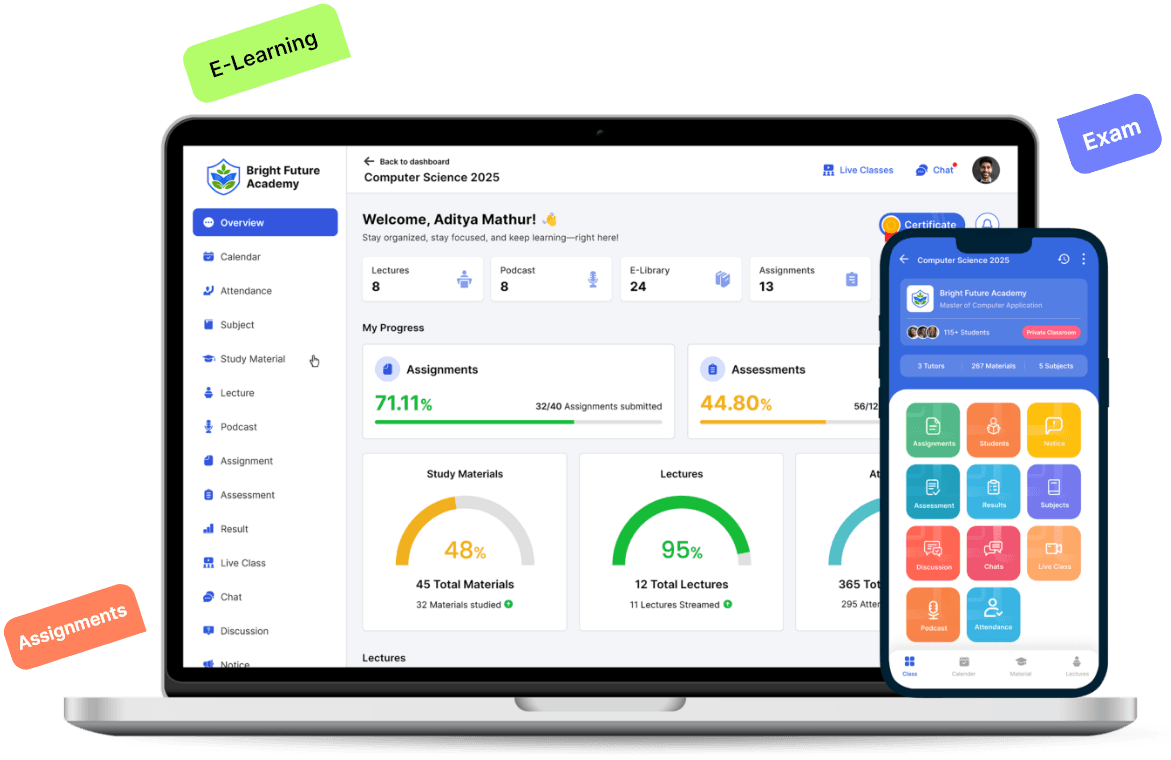
Buying an LMS is a multi-year commitment disguised as a software purchase. Migrating a few thousand student records off a platform two years in is a project nobody wants to run, which is exactly why the features you check before signing matter more here than they do for most other software decisions. This checklist covers the categories worth verifying directly, rather than taking a features page at its word.
The categories below aren't ranked by importance, because that ranking is different for every institute. A single-branch tutoring center and a multi-campus university will weight this list very differently, and that's the point of a checklist rather than a single score: it lets you decide what actually matters for your own institute instead of accepting a vendor's idea of what should matter.
Course Management
Check whether the platform supports the actual tracks your institute teaches — K-12, higher education, professional certification, or a mix — rather than one narrow format. Ask how quickly a new course can actually go live once content is ready, whether multiple educators can collaborate on the same course, and whether the institute can use its own course ID scheme instead of being forced into the vendor's naming convention. Academix's course creation and management covers all four of these directly: diverse educational tracks, rapid deployment, collaborative course development, and custom course identification.
Assessment Tools
Assessment needs are rarely one thing. Distinguish practice tests, which give students instant feedback as they work, from real time assessments scheduled at a fixed date and duration, from mock tests that simulate full exam conditions. Check whether scoring supports positive, negative, and partial marks, and whether there's a reusable question library rather than rebuilding a test bank from scratch every term — all of which are part of Academix's advanced assessments.
Assignments are a separate workflow worth checking on their own terms: whether submissions can come in multiple formats, whether plagiarism detection is built in rather than a separate paid add-on, and whether grading feeds back to students quickly. Some platforms treat assessments and assignments as one blended system; others, including Academix's assignment management, keep them distinct because they solve different problems.
Communication
A class needs somewhere for material to live that the whole cohort can reach, and somewhere for questions to get asked and answered in a way that benefits the next student who has the same question, not just the one who asked it. Academix's real-time communication covers this with centralized content storage and a structured discussion board — check whether a candidate platform treats discussion as a searchable resource or as a chat log that disappears the moment it scrolls past.
Mobile and Offline Access
Not every student has reliable broadband at home, and not every commute has signal. Test whether the mobile app simply streams content, which is useless the moment the connection drops, or whether students can actually save a lecture ahead of time and watch it later with no connection at all. Academix's Android app covers that gap in classes where the institute turns on downloads: save once on a stable connection and watch afterward without re-downloading. Saving uploaded lecture video is not yet available in the iPhone app, and signing out removes saved lectures.
Analytics
Check whether the platform reports on attendance, content engagement, and assessment performance together in one dashboard, at both the classroom level and the individual student level. Academix's classroom and student analytics is built around exactly that combination — a scattered set of separate exports for each category is a sign the analytics were bolted on after the fact rather than designed in from the start.
Recognition and Communication
Two smaller categories are easy to overlook during a demo but matter once the platform is actually in daily use. First, how completion gets recognized: check whether the LMS can generate certificates in bulk once a course wraps, using a template that matches the institute's branding, rather than requiring someone to design and email a credential to every student by hand. Academix's certificate management covers the template side: customizable templates with the institute's branding, and a PDF certificate for each student the institute picks, downloadable from the app and student portal. Eligibility is the institute's call, not automatic on completion. Second, how students actually get told about deadlines and updates: automated, multi-channel notifications for new assignments and course changes matter more than they seem to, since a student who didn't see an announcement has a legitimate excuse for missing a deadline. Academix's student notifications handle this with instant push notifications for new notices, assessments, and assignments, alongside email and in-app alerts.
Multi-Branch Support
This category only matters if the institute runs, or plans to run, more than one branch or department. Where it does apply, check for a centralized dashboard across branches, access controls scoped per branch, the ability to assign tutors across more than one location, and whether course content can be shared across branches while each branch still keeps its own roster. Academix's multi-branch management covers each of these. Single-location institutes can skip this section entirely — it isn't a feature worth paying extra for if there's only one branch to manage.
What This Checklist Deliberately Leaves Out
Pricing and total cost of ownership aren't covered here on purpose — they deserve their own separate evaluation once you know which of the categories above actually matter to your institute. A platform that scores well on every feature above but is priced per feature you'll never touch isn't a better deal than one priced simply for the features you'll actually use. Work through this checklist first, then take the shortlist it produces into a pricing conversation.
How to Use This Checklist During a Demo
Bring this list to the vendor demo instead of relying on the features page alone. For each category, ask to see one specific, real example live in the product — a course actually being created, an attendance chart actually rendering with sample data, a lecture actually being downloaded on a phone — rather than accepting a bullet point as proof it works. A vendor confident in a feature will show it running in front of you without hesitation; one that redirects to a screenshot or a roadmap slide is telling you something too.
No institute needs every category maxed out at once. A single-branch tutoring center can reasonably skip the multi-branch section entirely and spend that attention on assessment tools instead. A university running five campuses can't skip it. Weight the categories that match your current pain points, treat the rest as things to revisit once the first few are solved, and resist the pull toward whichever platform simply has the longest feature list. Length on a page has never been a reliable measure of fit.